Welcome to AxLore
High-performance narrative engine for Minecraft.
🌌 Welcome to AxLore
AxLore is the ultimate plugin to transform your server's narrative. Using AI technology (ElevenLabs), it allows your world to come alive with human-like voices and unprecedented immersion.
Get the plugin up and running on your server in less than 5 minutes.
✨ Premium Features
- Smart Installation: Download a unique JAR from the dashboard with your license pre-embedded.
- Plug & Play Activation: Load the plugin and start using it immediately—no activation commands required.
- Next-Gen AI Voices: Professional, ultra-realistic voices.
- Native Multilingual: The plugin detects each player's language automatically.
- Zero-Secret Security: Your credentials and content are protected by industry-leading end-to-end encryption.
🚀 How to Get Started (Step-by-Step)
Follow these 4 simple steps to bring your server to life:
1. Purchase on BuiltByBit
Buy the plugin on BuiltByBit. Upon completion, instead of the plugin file, you will download a file named LICENSE_KEY.txt.
2. Registration and Claim
Create your account on our Official Dashboard and go to the Claim License section. Paste the code from your LICENSE_KEY.txt file to permanently link the purchase to your account.
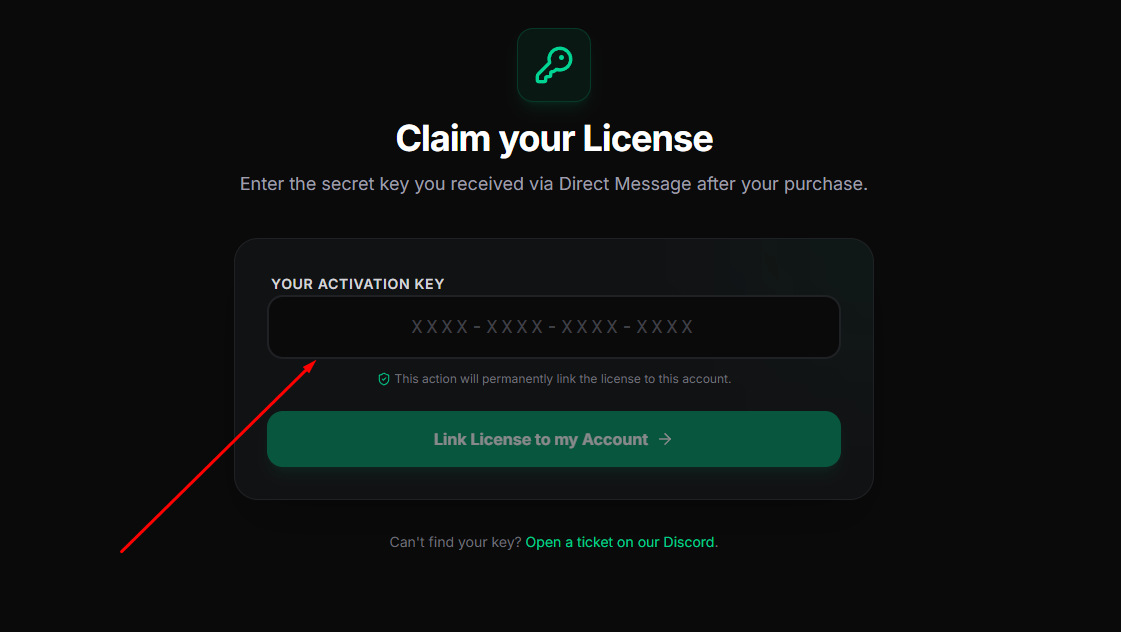
Paste your key in the text field to activate your product.
3. Custom Download
Go to the My Licenses section after claiming. Click the download button; our server will instantly generate a custom .jar file that already includes your license signature. You won't have to manually configure keys on your server.
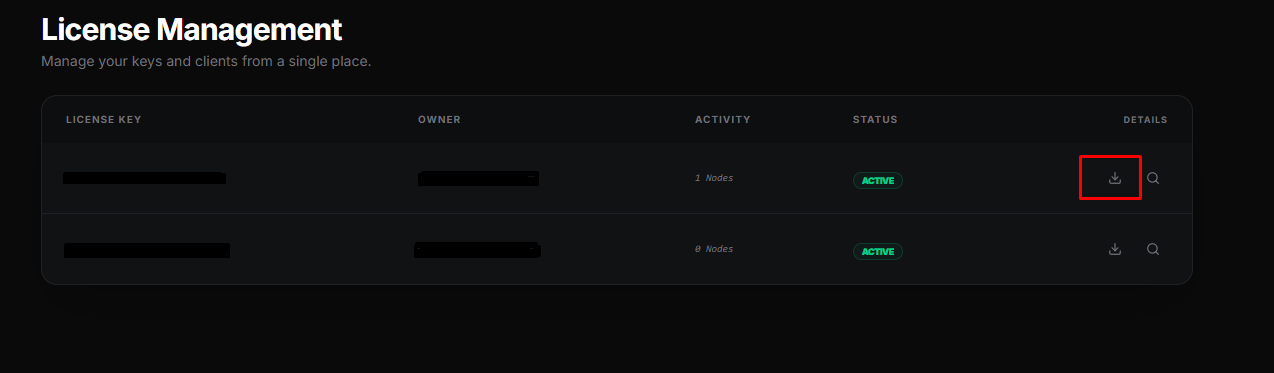
Always download the latest version with your license already injected.
4. Installation
Drop the JAR into your /plugins/ folder and restart your server. AxLore will automatically detect your identity and be ready to speak.
📖 Wiki Content
- 🛠️ Commands and Permissions: Mastering the plugin control.
- ⚙️ Configuration Guide: Connecting AI and storage.
- 🎬 Scene Management: Create unforgettable stories with triggers.
- 🔌 Integrations & Placeholders: Connect with Citizens, WorldGuard, or AuraSkills.
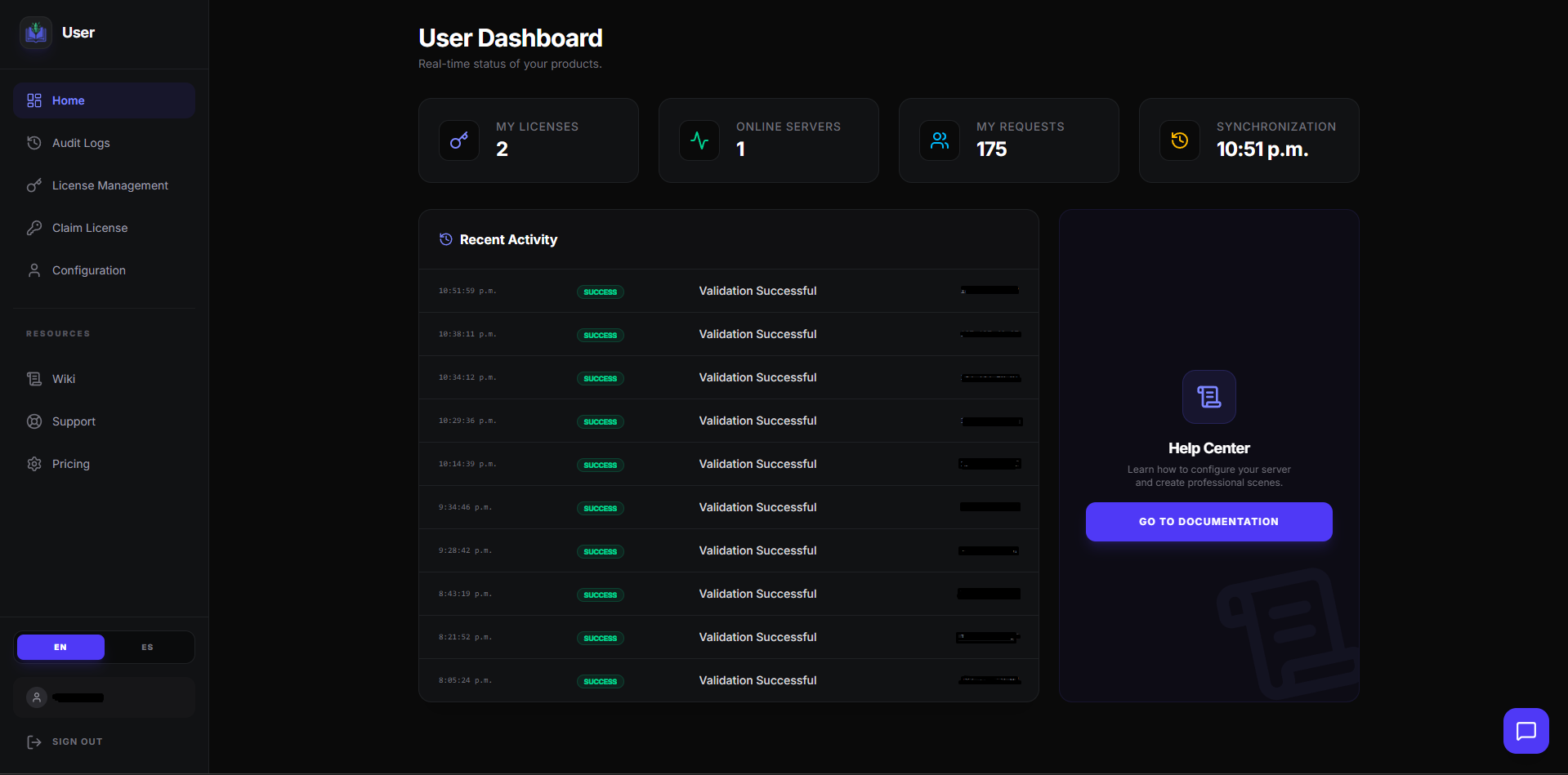
Your central hub for managing licenses and active server nodes.
🆘 Need Help?
If you encounter any issues, please ensure:
- You have a valid ElevenLabs API Key.
- FFmpeg is installed and accessible on your server (AxLore downloads it automatically if missing).
- The audio hosting port is not blocked by a firewall.
Was this helpful?
Help us improve our documentation.